NodaLogic — a business-logic platform built specifically for AI generation
NodaLogic is a low-code platform for business, operational, and accounting systems with server-side logic, a web client, and an autonomous Android client. The core architectural idea is simple: reduce the number of special entities and ad hoc rules as much as possible, so that the same business logic is easier for humans to understand, easier to execute on different clients, and easier for LLMs to generate.
When I wrote the first articles about NodaLogic, its AI orientation was still more of a plan: I wanted an environment where the model would not drown in infrastructure code and could instead work with clear business objects. Since then the platform has grown significantly. It now has full indexes, several synchronization modes, online handlers, Quant Ledger, ActiveCV, and nGenie. And N-Reactor, which used to be mostly a direction of development, now actually generates solutions, runs them through validation, and produces ordinary .nod configurations.
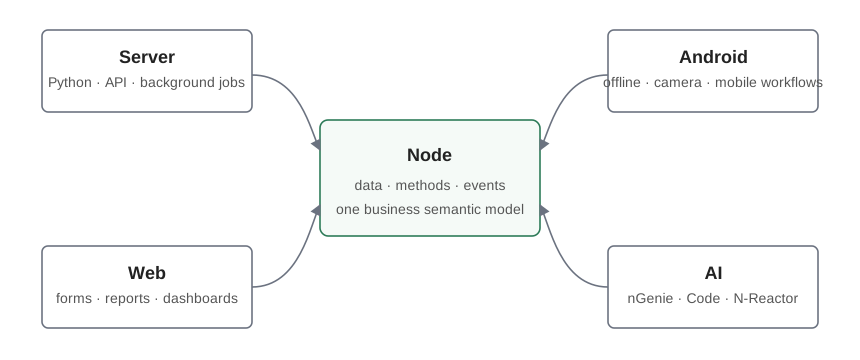
The Node as the main building block
In NodaLogic, almost all business entities are represented as nodes: a document, a document line, an item, a warehouse, a task, an operation, a reporting projection, or a service object. A node stores its state in _data, belongs to a class, has methods, and reacts to events.
For a developer, this simplifies the solution model. For an LLM, it matters even more: instead of reconstructing meaning from a chain like ORM → service → controller → DTO → API → form, the model sees a relatively compact set of classes, their data, handlers, relationships, and interfaces. This does not mean the physical layers do not exist; it means the business semantics does not fragment across them.
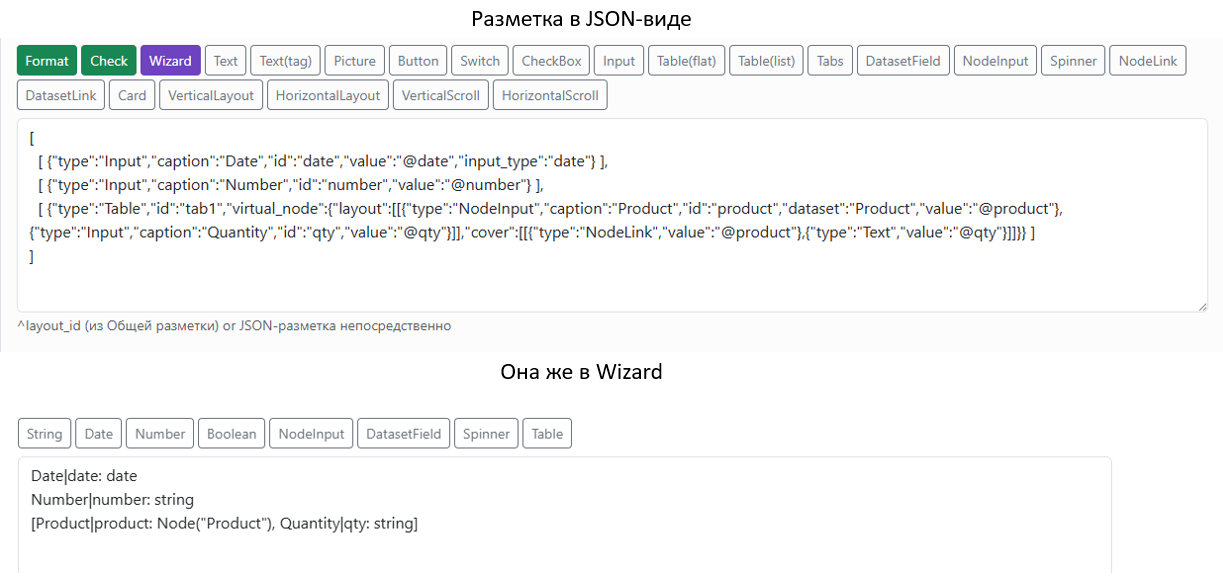
One configuration for web, Android, and server
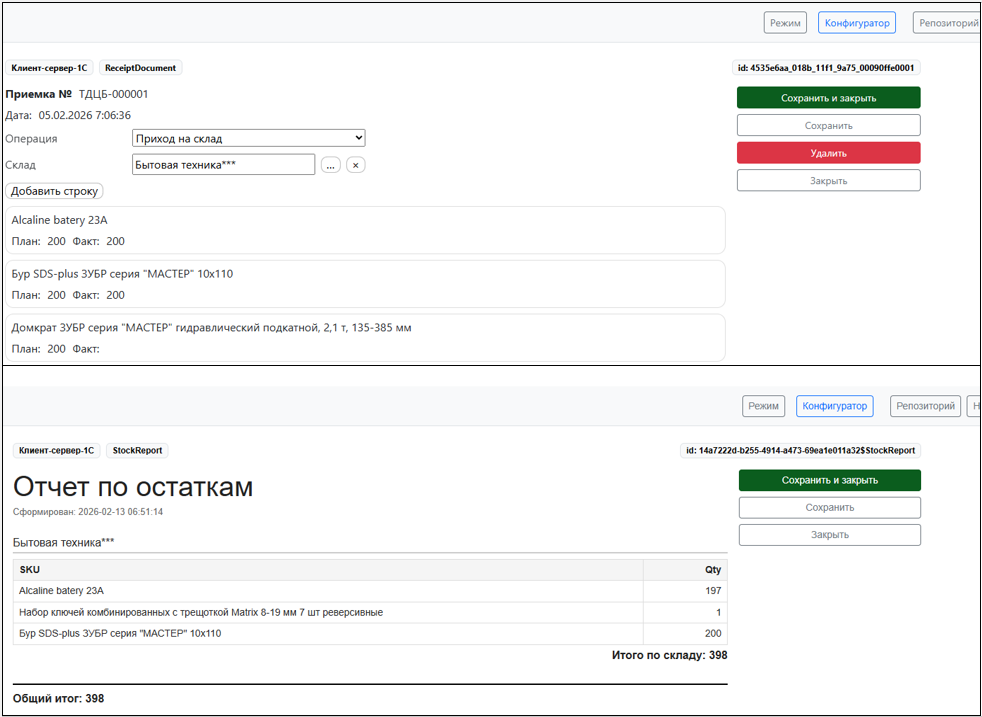
The same configuration defines classes, data, and a large part of the behavior for every environment. The web client is used for regular workspaces and reporting, Android handles autonomous mobile workflows, and the server is responsible for shared business logic, API, background jobs, and integration.
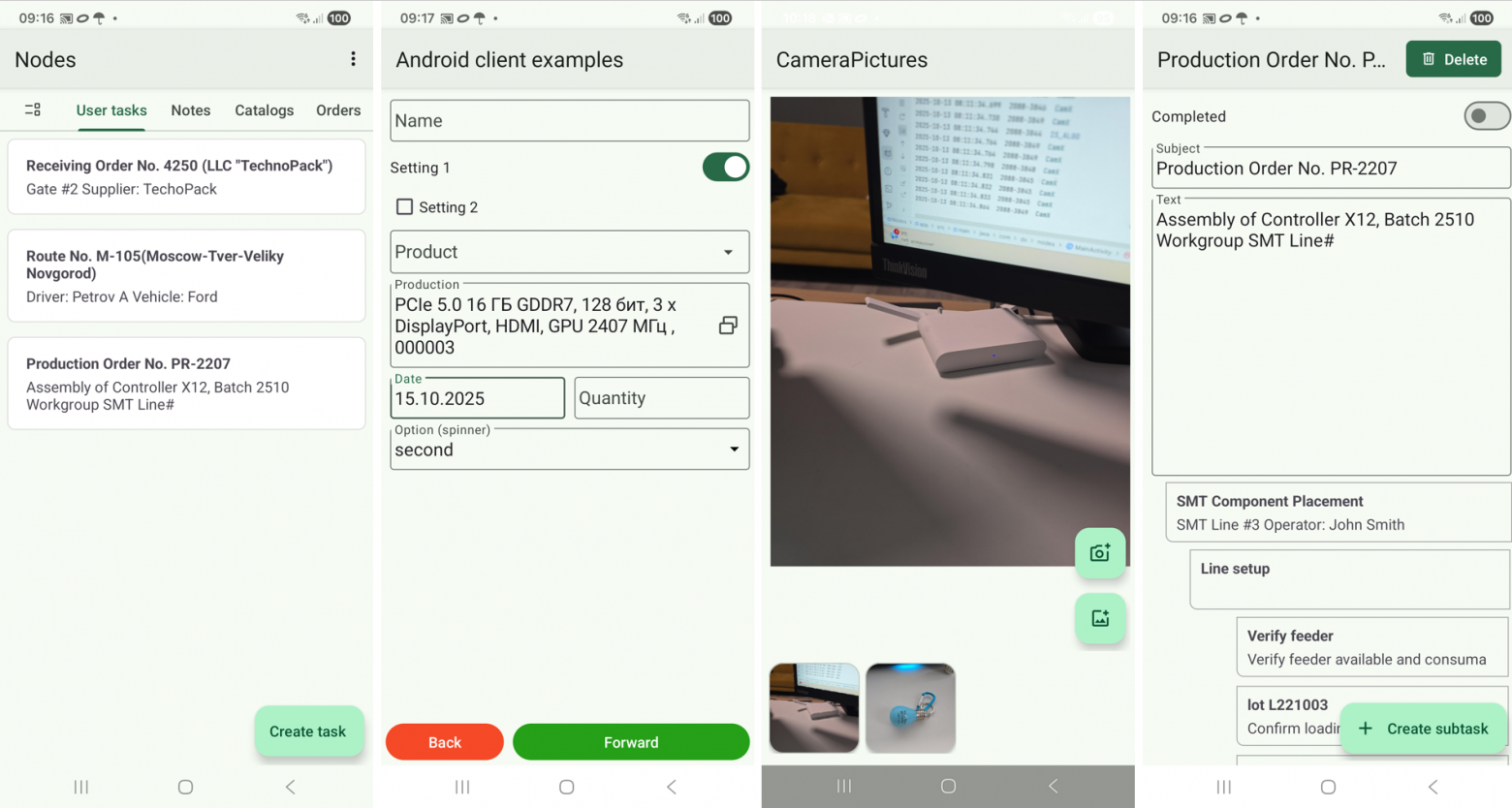
The mobile client is not a thin terminal. Nodes live on the device and can exist autonomously. That matters a lot for warehouses, manufacturing, inventory counting, field service, and in general for anything that must keep working when the connection is poor.
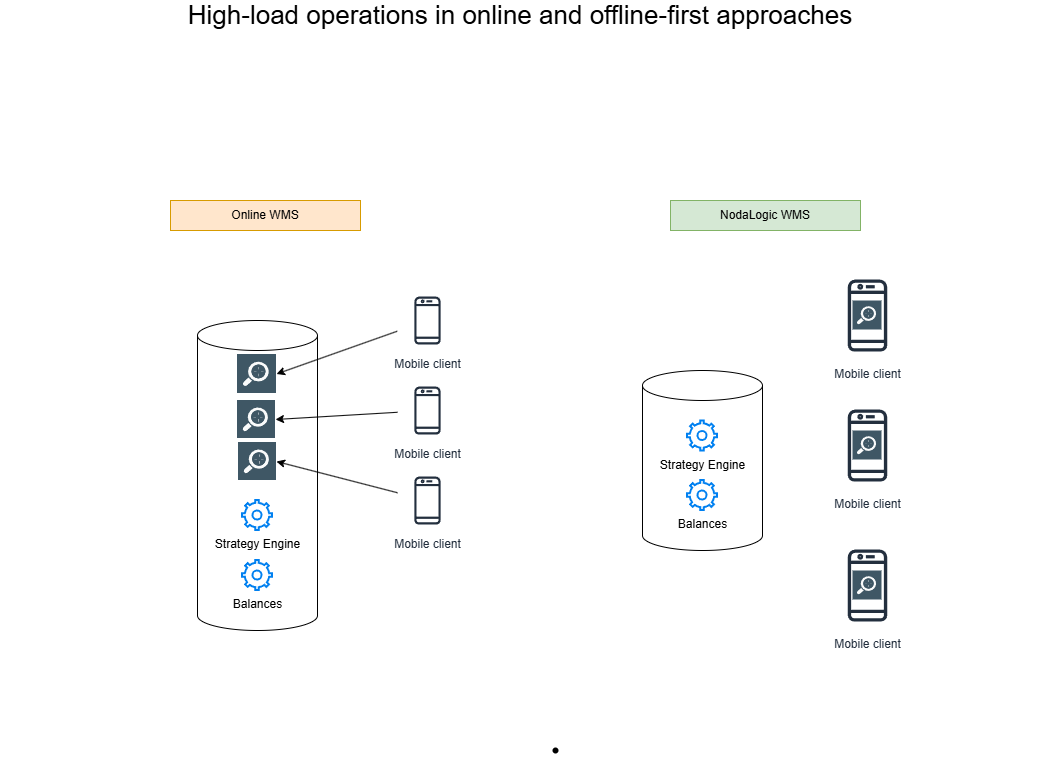
In this sense, offline-first is not just a degraded mode for when the network disappears; it is a full distributed architecture. And it is not only about surviving unreliable connectivity. It is also a performance architecture. A large share of repetitive operations can run directly on the clients: directory lookups, preliminary validation, primary data capture, local selections, and part of the application logic. In practice, the mobile devices form a distributed execution layer. The server does not have to participate in every scan, choice, or intermediate check, and the network is not flooded with unnecessary round trips. The server receives prepared data and completed operation results. The more handheld devices work simultaneously, the more visible the effect becomes: the load is distributed across the devices, while the server remains the point of synchronization, accounting, and truly centralized logic.
Events
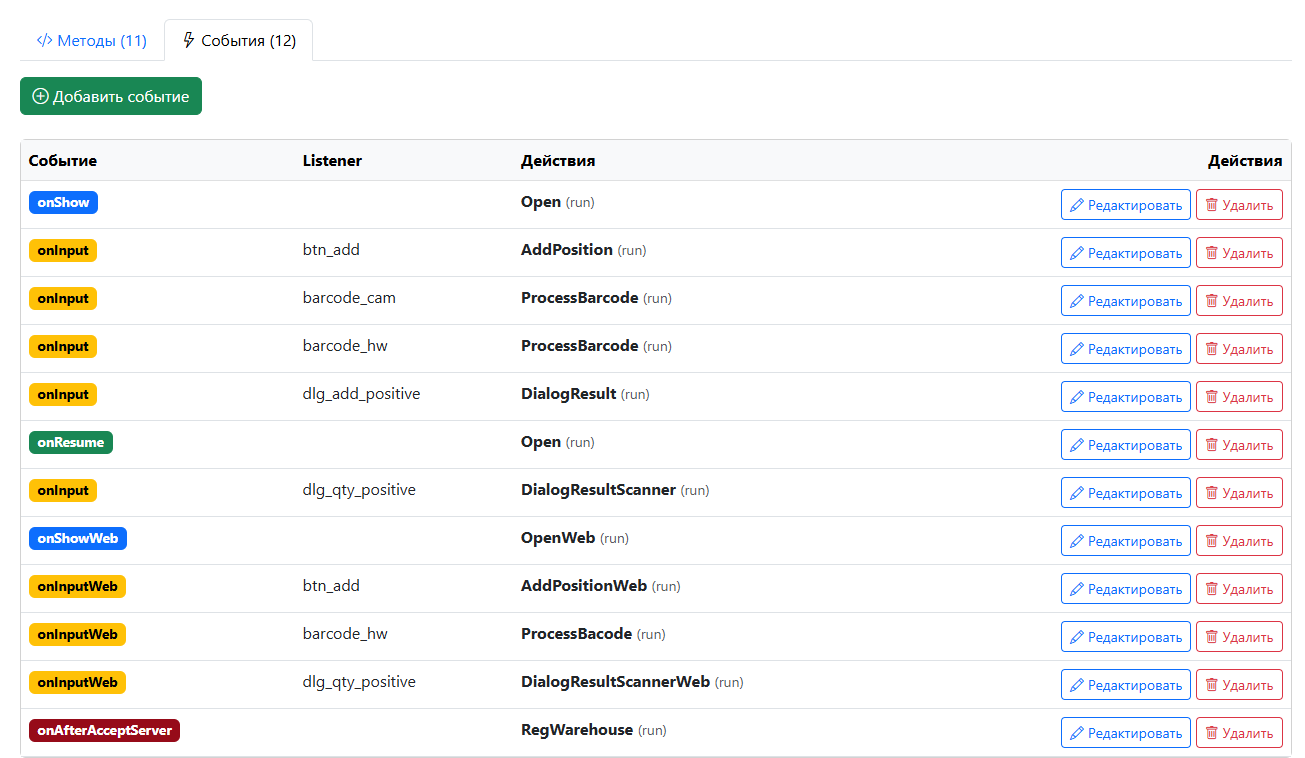
The main way to connect UI and business logic is through events. A handler can react to opening a node, changing a field, pressing a button, scanning, returning to a screen, receiving a message, and many other events.
Local and online handlers
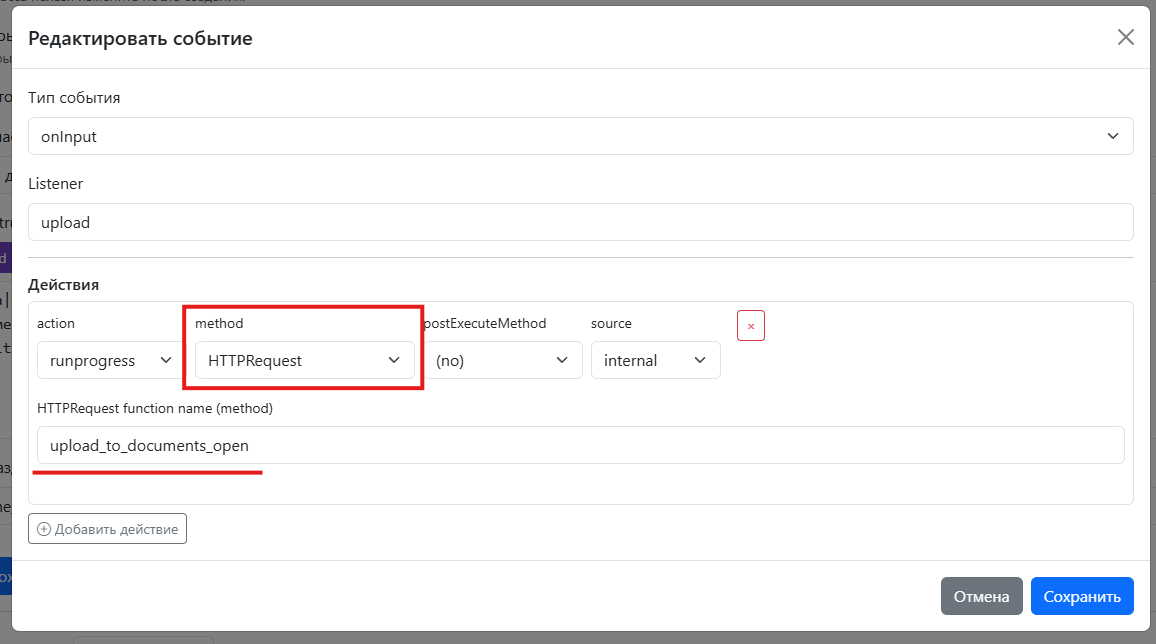
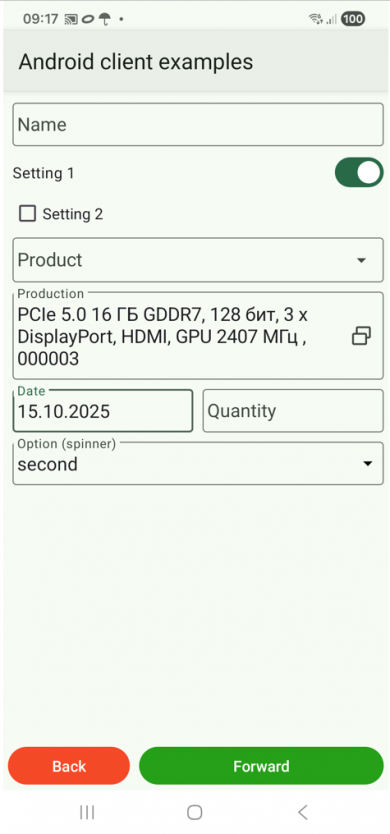
For offline scenarios, a handler executes locally. For example, a handheld device scans an item, finds it through an index, and updates a document without calling the server. But not all logic should be offline. NodaLogic also has online handlers: the client calls an external or server-side function, passes its _data, and receives modified data and commands that should be executed on the client.
This is especially useful when integrating with 1C. In one example, a mobile document is filled in entirely offline, and only the export command calls a handler in 1C. The server side can return a list of document types, open another screen, let the user choose the target document, and then upload the lines there. The Android client itself knows nothing about the internal API of that specific 1C configuration.
Data, indexes, and Quant Ledger
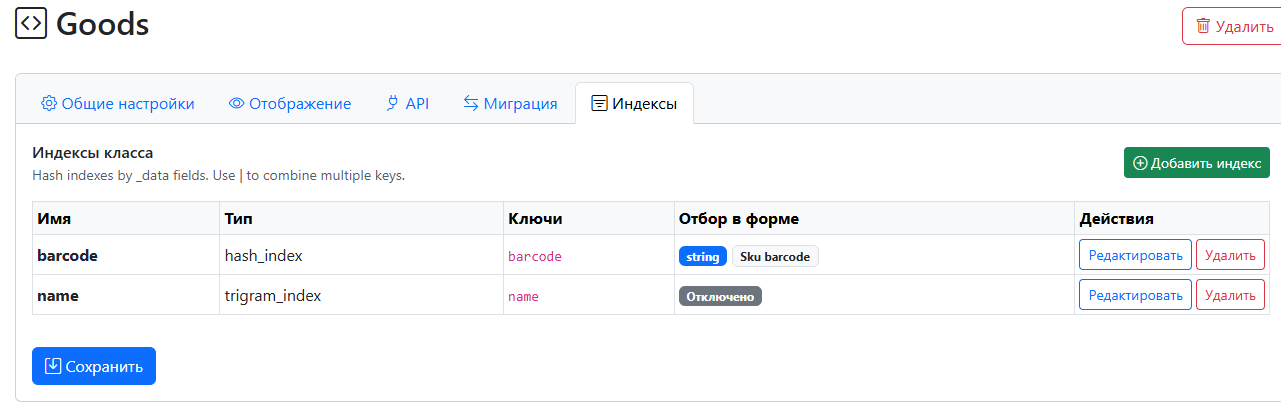
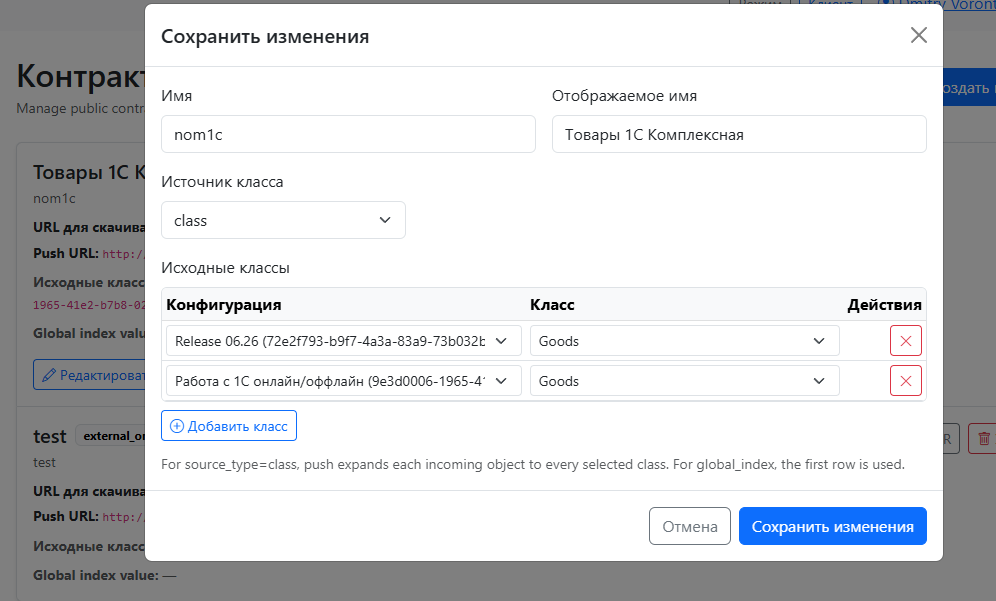
NodaLogic follows a JSON / NoSQL-style approach: a rigid SQL schema is not a mandatory part of a node. At the same time, there are indexes for performance. For example, the lines of a large document can be stored as independent nodes and filtered by the header reference through a hash index; an item can be found by barcode; and by name you can use trigram or semantic search.

Quant Ledger
For accounting-oriented systems, one more primitive matters a lot: Quant Ledger. It is a specialized mechanism for quantity movements and balances: receipts, issues, transfers, accounting dimensions, and idempotency control. The idea is the same as elsewhere in NodaLogic: if an infrastructure concern is basic and recurring, it is better to solve it once at the platform level than to make every configuration — and every LLM — reinvent its own stock ledger from scratch.
Synchronization: not one mechanism for every case
Synchronization in NodaLogic is not one “exchange” button. The channel is chosen according to the task. Rooms and messaging are suitable for operational exchange; Contracts for large batch data sets; Datasets for relatively static external sets; upload queue for reliable deferred delivery; and if the data does not need to be copied to the device at all, the business operation can simply stay online and call an external handler or API.
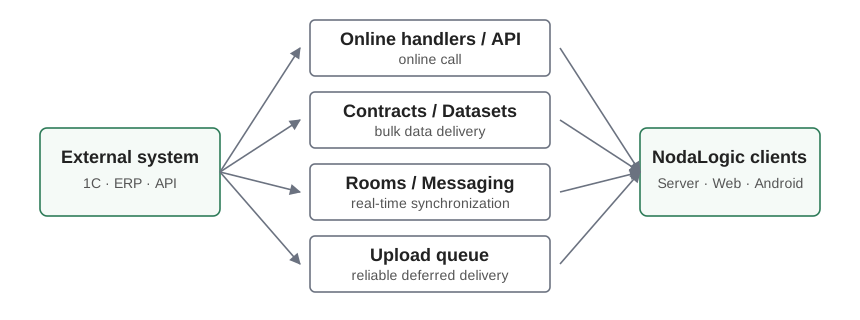
For example, a million-row item catalog is better delivered through a Contract, while a change in the state of one active operation is better sent as an operational message. And vice versa: if the device must work independently from the network, it makes sense to keep the reference data locally instead of doing an HTTP lookup on every scan.
Messaging inside the business process
Messaging in NodaLogic is connected to the same nodes from which the solution is built. That means a message can be an ordinary discussion around an object, an exchange inside a user group, or a technical delivery channel between handlers.
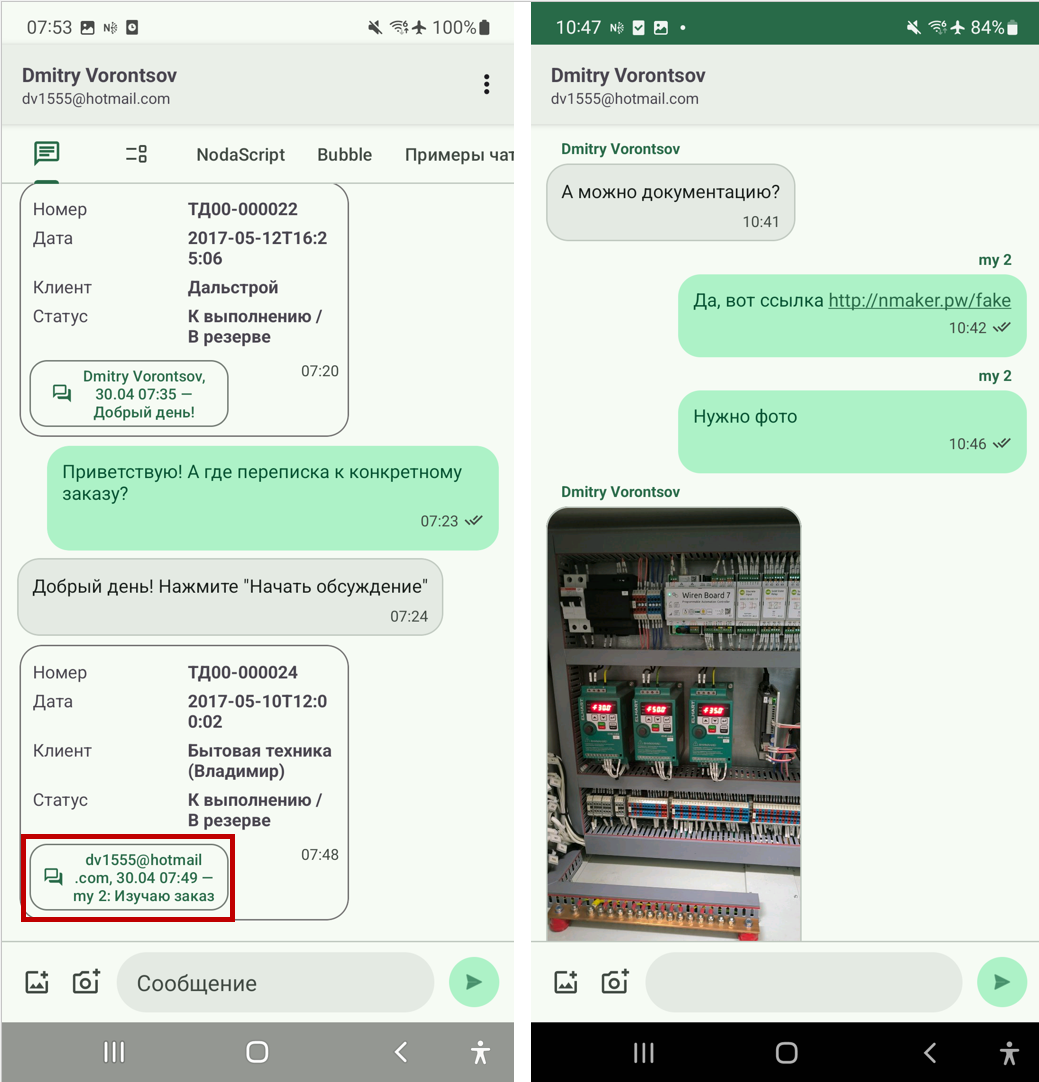
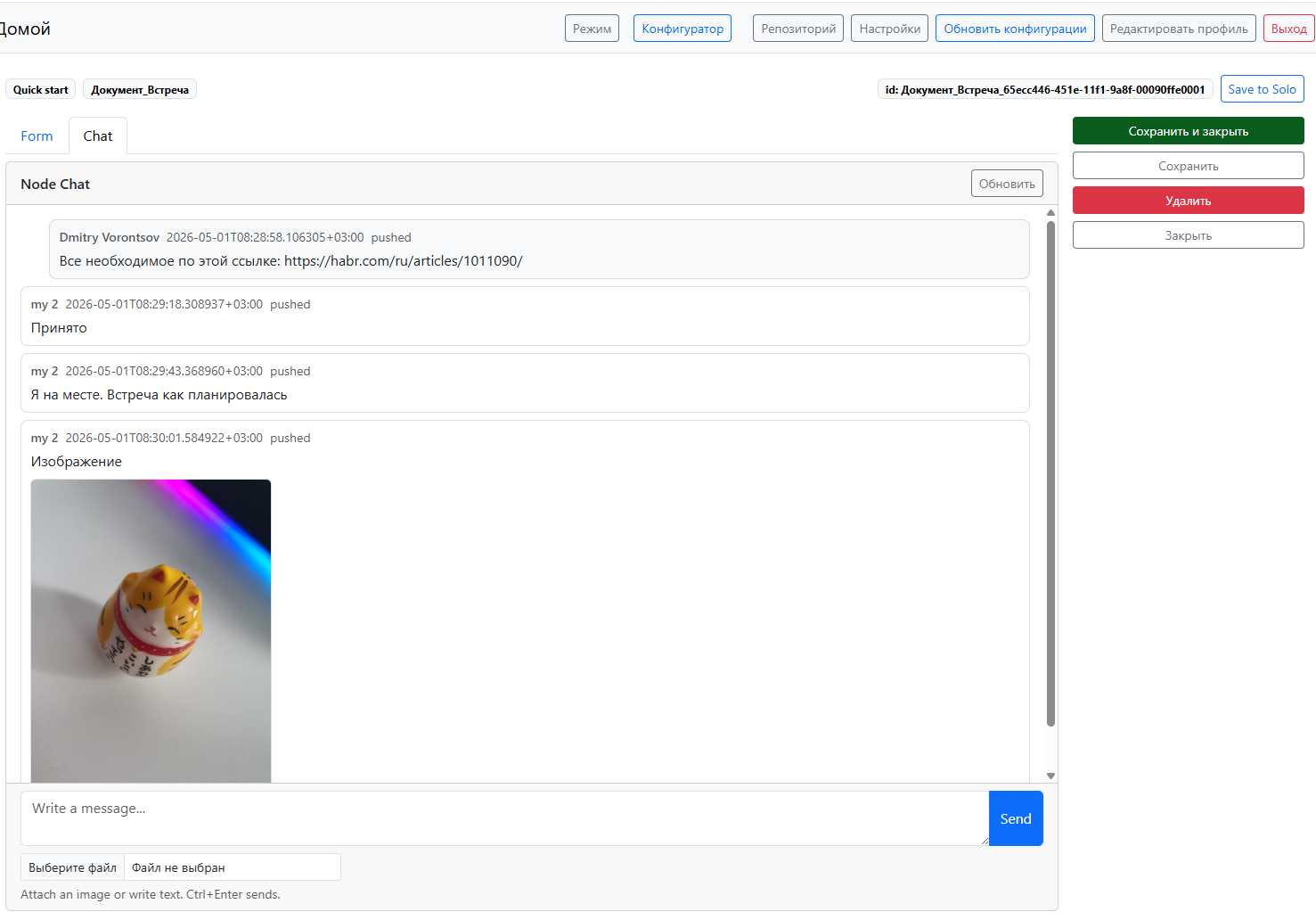
This makes it unnecessary to build separate infrastructure for scenarios such as “two pickers are working with the same order at the same time”: a line change can trigger an event on another device, while a server-side handler can validate context, enrich the message, or execute an action.
ActiveCV: the camera as part of the workflow
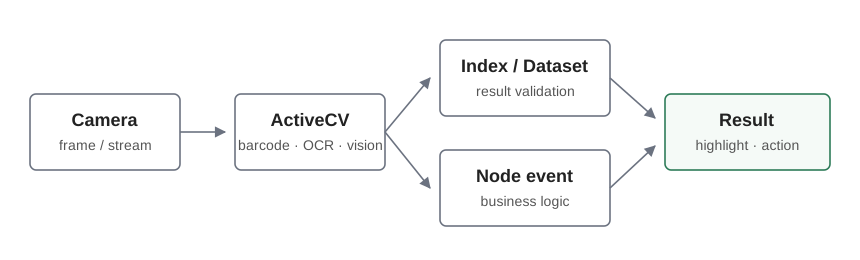
ActiveCV combines the camera, recognition, and business events. Depending on the task, it can be barcode scanning, OCR, a photo, or AI vision. The result can be verified immediately through an index or a Dataset and only then passed into business logic.

nGenie: AI already inside a running system
N-Reactor generates the configuration itself. nGenie solves a different problem: it works with an already existing system and its data. The agent sees nodes, their roles and descriptions, can choose skills, and for a specific request can generate executable logic. For search, it uses indexes on the server instead of sending “the whole database” to the model. For reporting, it can use Pandas and save the result as an ordinary projection that users can open later without calling the LLM again.
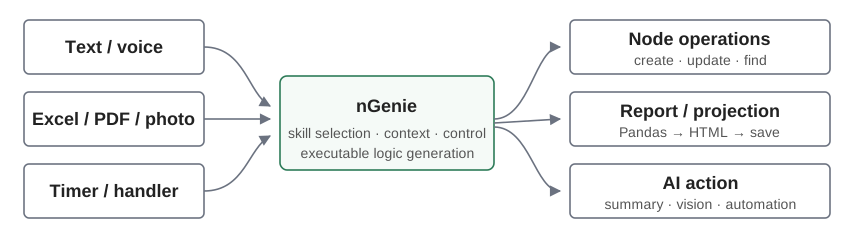
The nGenie demo shows several practical scenarios very clearly:
- Semantic import. The user provides an Excel file, a PDF, or an image with an arbitrary structure and says “load the order”. There is no need to predefine that items start at row 46 or where article codes and barcodes are located: the agent maps the file to the solution structure and creates nodes.
- Natural-language operations. Commands such as “add five angle grinders” or “apply a 5% discount to everything except the green ball” are turned into actual document changes.
- Camera and vision. A file from the camera can be passed into an nGenie command to obtain a structured result, for example an object name and its quantity.
- Reports and analytics. The agent builds an order report, period parameters, totals, and an HTML projection; once saved, it becomes an ordinary system report that does not need the model every time it is opened.
- Background AI actions. nGenie can be called from a timer or a handler — for example to periodically summarize active orders, analyze stock and bin turnover, and then propose or even plan replenishment according to flexible strategies described by a warehouse logistician in natural language.
What matters to me most here is not the commands themselves but the architectural effect. Since every business entity is still “just a node” to the agent, while the specific meaning comes from role, description, and skills, the same mechanics can be reused across very different configurations. The simplicity of the base semantics is one of the reasons why NodaLogic was designed in this direction from the start.
N-Reactor: from requirements to a working configuration
This is not the main subject of the article, but it shows why the previous architecture matters. N-Reactor is a working agent pipeline built on top of NodaLogic. It does not merely ask an LLM to “write a WMS”. It collects facts, forms a specification and a solution diagram, generates a candidate, checks it against the requirements, writes runtime tests, executes them, and runs a Repair cycle.
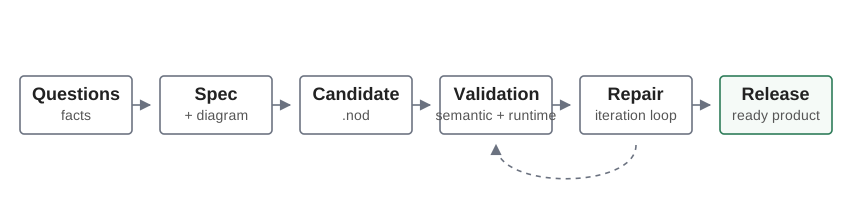
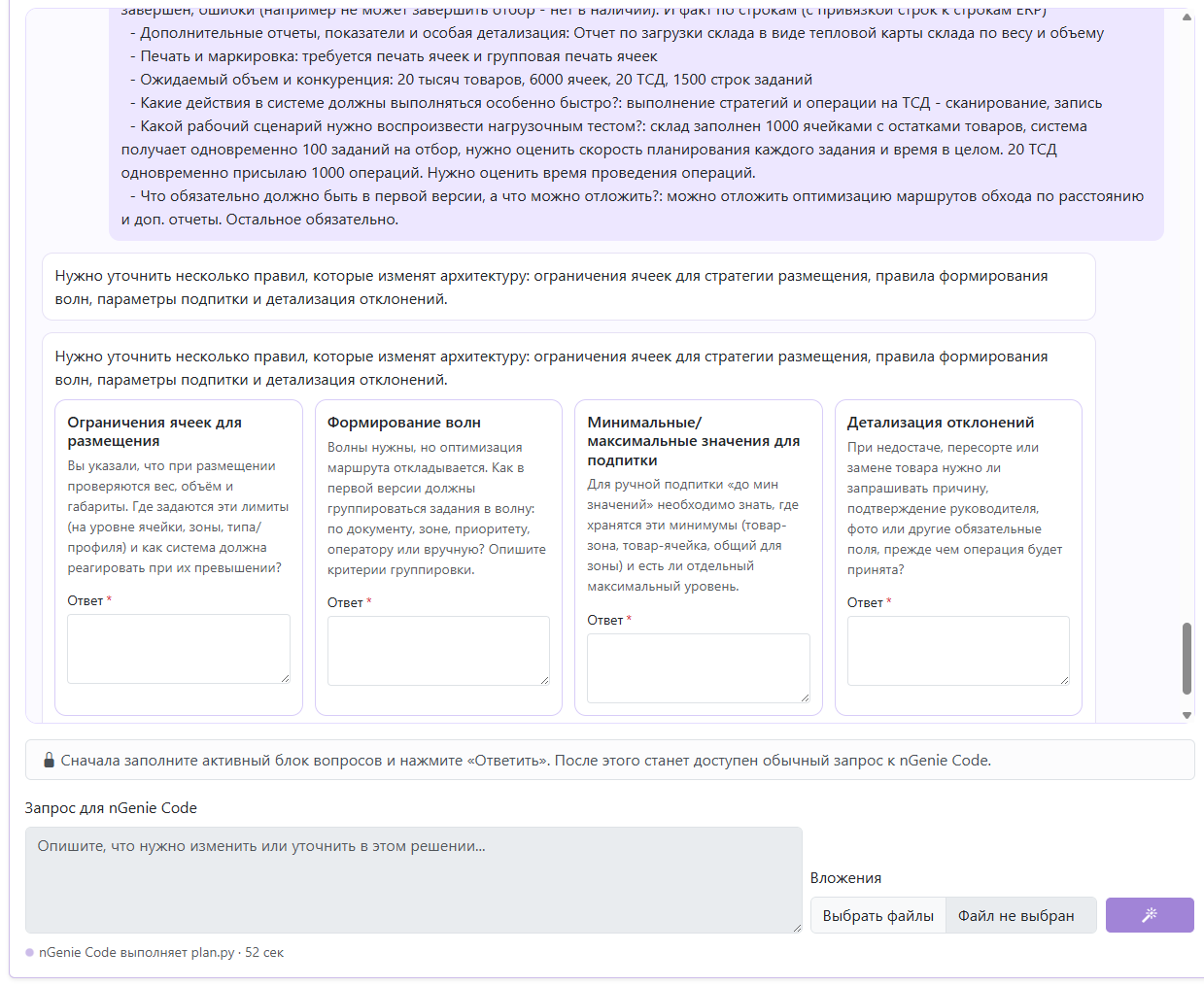
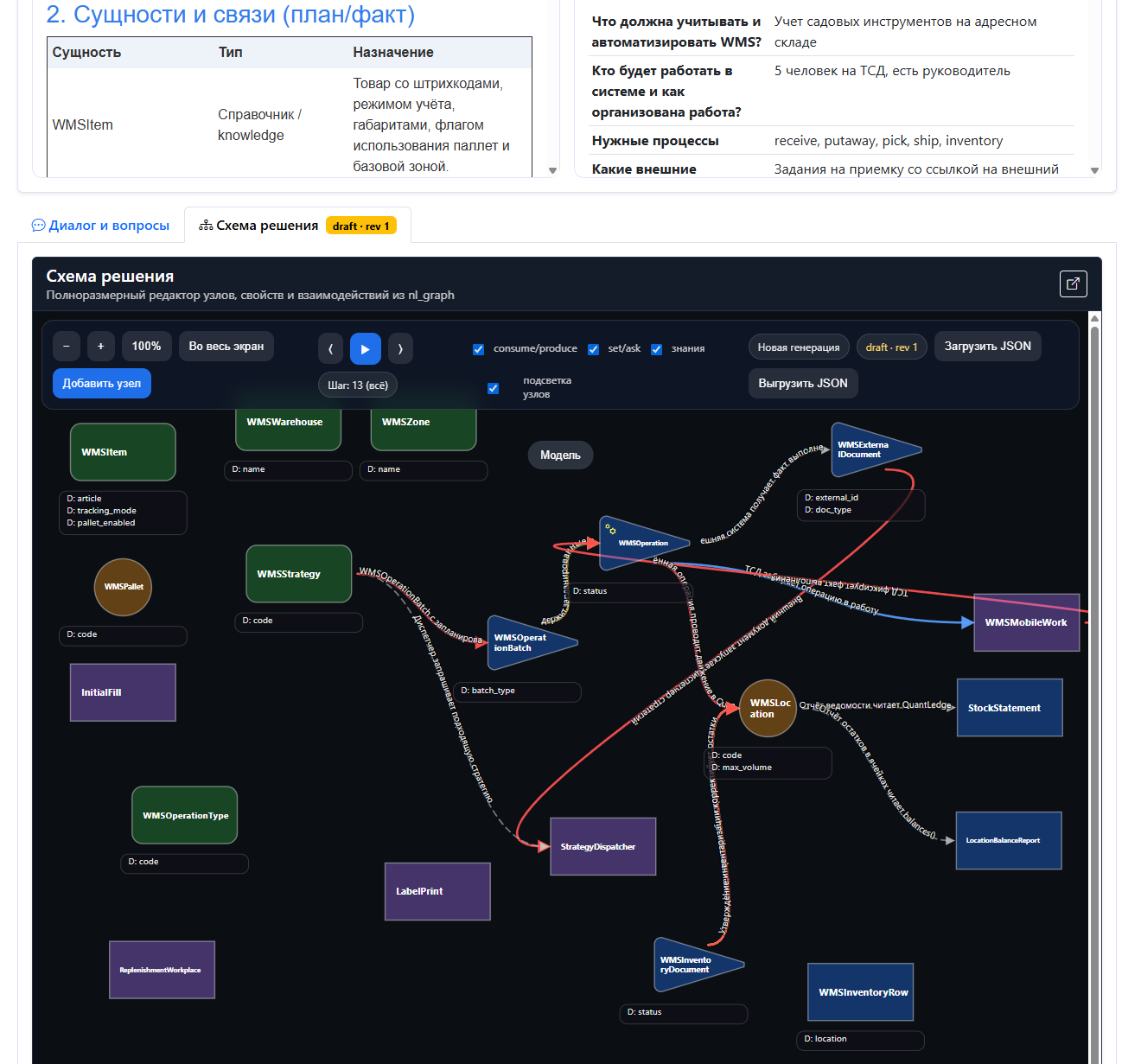
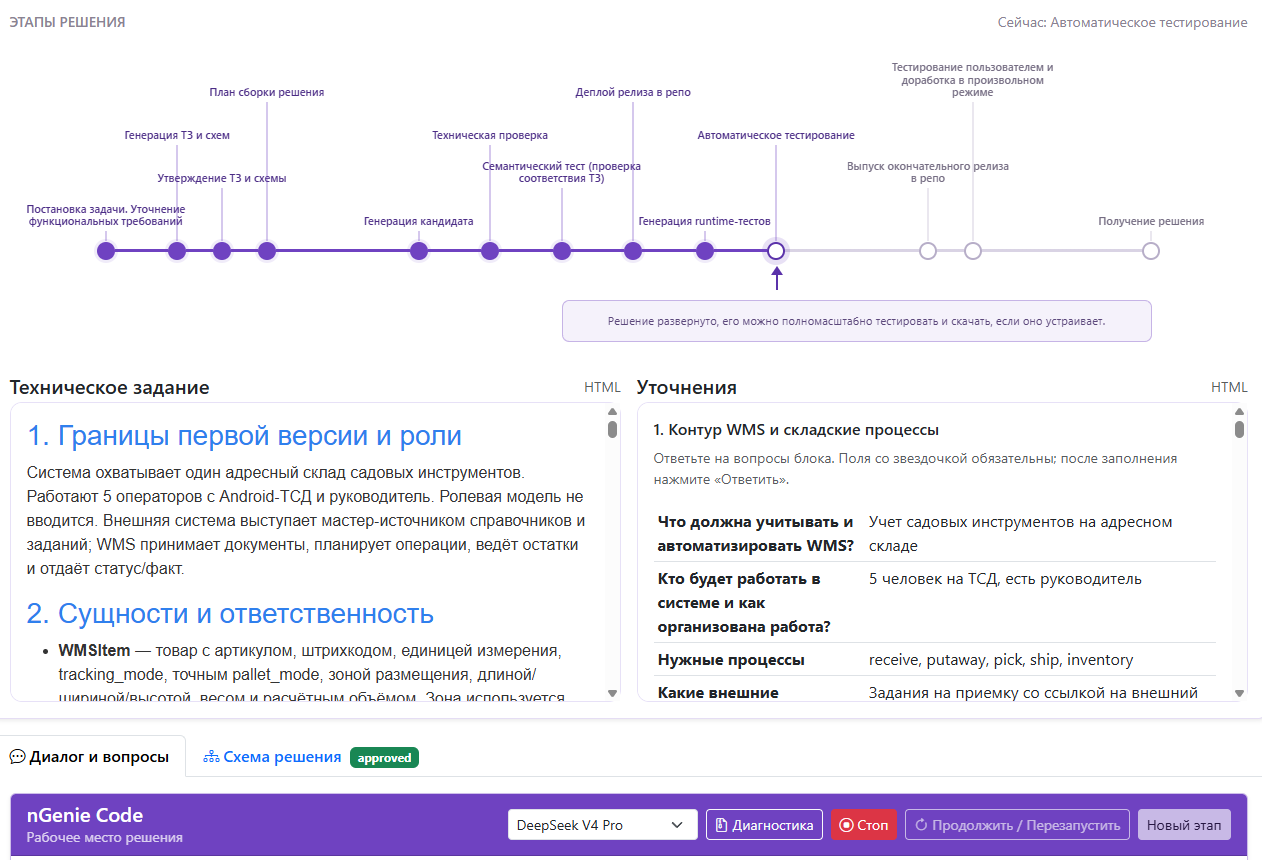
The result is not “a link to a closed AI service”, but an ordinary NodaLogic configuration. You can deploy it on your own side, connect users, Android devices, and integrations, and continue editing it manually. In that sense, AI generation is a production method for the product, not a mandatory runtime for the product itself.
Why low-code here is not about drawing forms
The main paradox of AI development is that generating code has become very easy, but maintaining it has not. If you give the model full freedom to build a new infrastructure stack every time, it will indeed write a lot of code very quickly. But that is exactly what later becomes the problem.
That is why low-code in NodaLogic is first of all a constrained and repeatable solution space. If you need fast lookup, there are indexes. If you need stock balances and movements, there is Quant Ledger. If you need synchronization, there are several ready-made channels for different modes. If you need a screen, there is a shared layout model. If you need online/offline behavior, there is one event model. What remains for the model to generate is mainly business logic.
Where this fits best
In practice, the platform is most natural for systems that combine accounting, integration, and operational workplaces: WMS, MES, TMS, inventory systems, manufacturing, field service, barcode-driven workflows, and mobile fronts for 1C / ERP.
At the same time, NodaLogic can be used perfectly well without AI. You can build a configuration manually in the configurator, download it as a .nod file, deploy it on your own server, and support it in the usual way. The AI layer is an additional way to build and use the system, not a prerequisite for the system to exist.
Links
nmaker.pw — web configurator and N-Reactor.
NodaLogic documentation, including the section about synchronization.
Online handlers and an online/offline 1C integration example.
This article is a consolidated and updated version of three earlier materials about NodaLogic. Historical announcements and outdated N-Maker descriptions were intentionally removed; N-Reactor is described here as an already working service.
Comments
Comments are public; posting is available to registered NodaLogic users.