A business management solution on NodaLogic: a trading company with a mobile warehouse workspace
Source code availableTrade Demo is a learning configuration for exploring NodaLogic code and architecture. It models the main business processes of a small trading company. Much of the solution is deliberately simplified to make the platform’s approaches and mechanisms easier to understand. At the same time, it covers the full infrastructure, including an offline mobile warehouse workspace.
Capabilities
Trade Demo is a demonstration solution for purchasing, sales and inventory management. It shows not just document workflows, but interconnected order fulfillment, stock reservation, costing, margin control, procurement planning and mobile warehouse operations.
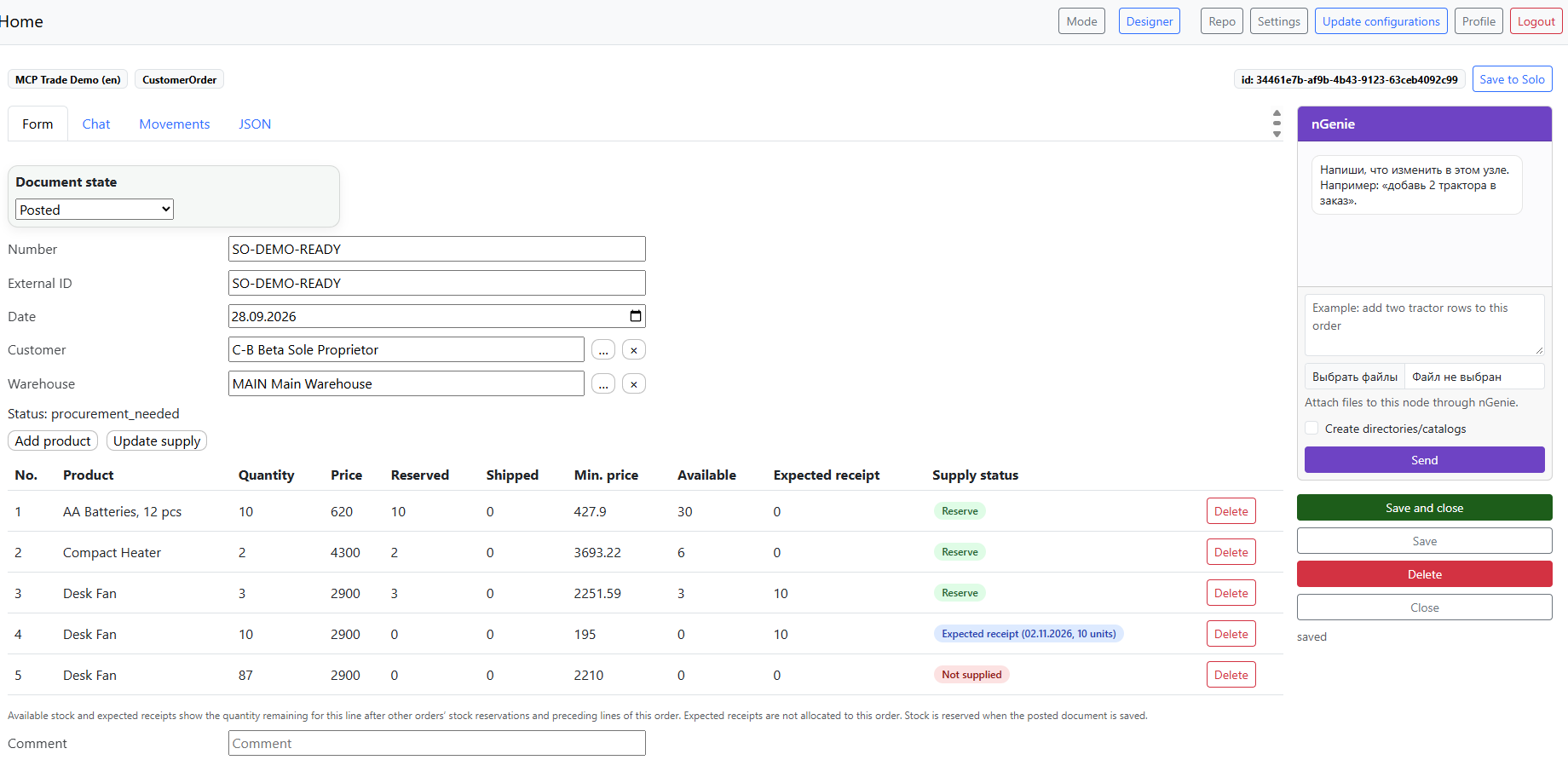
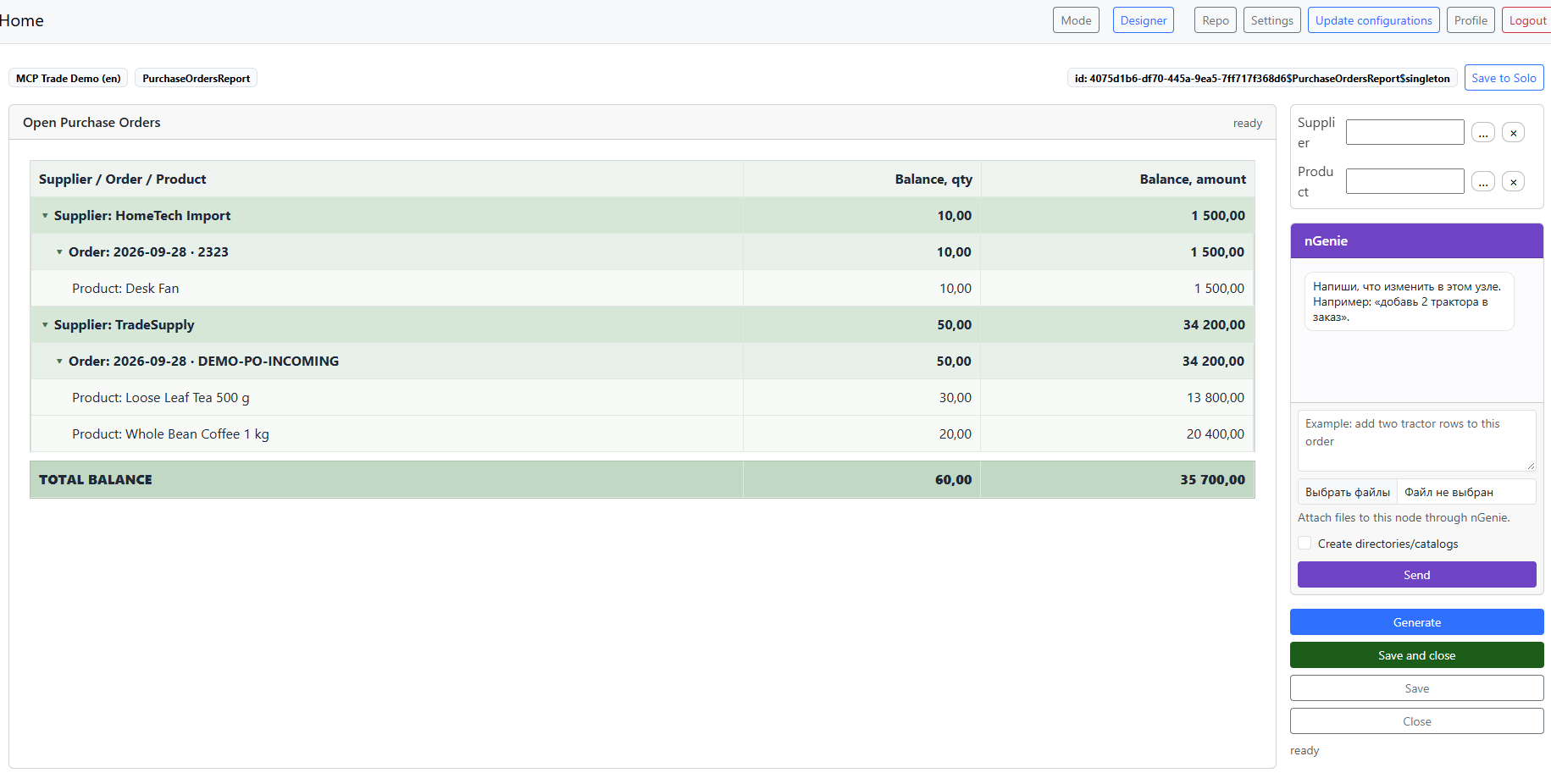
FIFO costing with additional expenses. Goods are issued at the actual cost of their receipt batches. Freight, customs and other additional expenses increase the cost of the relevant batches and are automatically reflected in subsequent sales.
Sales profitability checks against a minimum markup. Each item can have a minimum allowed markup. When an order is posted, the system compares its sales price with the current FIFO cost and blocks a sale that falls below the required threshold.
Several ways to fulfill a customer order. An order can use available stock, reserve goods in the warehouse or follow a purchase-to-order workflow in which the goods must first be bought from a supplier.
Automatic order fulfillment status. The system compares stock, existing reservations and expected receipts to determine whether an order can ship now, must wait for a delivery or requires a new purchase.
Stock reservations for individual customer orders. Available and reserved stock are tracked separately, so the same goods cannot fulfill several orders at once.
Automatic reservation release on shipment. Posting a sale reduces the order’s reservation together with the physical stock balance.
Goods in transit against purchase orders. Goods that have been ordered but not yet received are included in customer order fulfillment analysis and procurement planning.
Automatic purchase order fulfillment by actual receipts. The solution supports partial deliveries, multiple receipts against one order and delivered quantities that differ from the original plan.
Control over the sequence of business transactions. A source document cannot simply be deleted or unposted if doing so would break subsequent accounting records. For example, a receipt cannot be unposted once goods from that batch have been issued or additional expenses have been allocated to it.
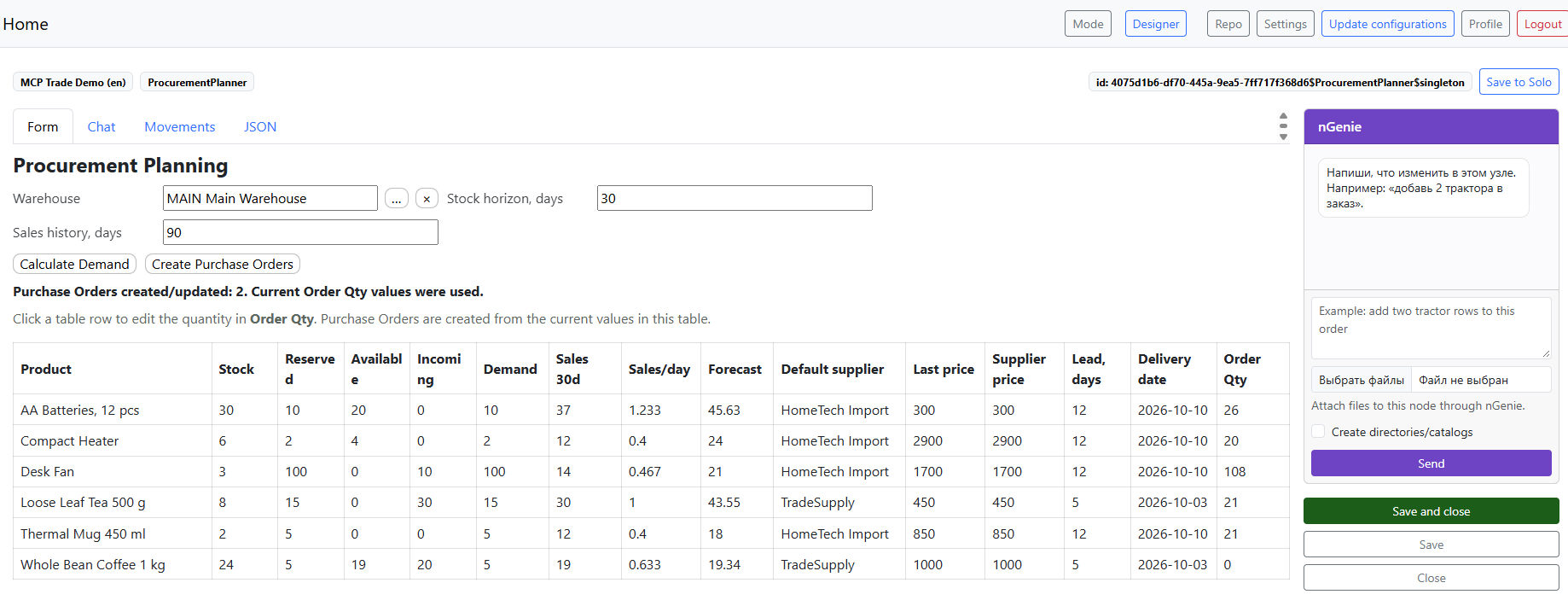
Procurement planning based on actual demand. The calculation considers current stock, reservations, goods in transit, actual sales velocity and the required coverage horizon.
Demand dynamics in procurement planning. Calculations can include average sales velocity, trends and seasonality instead of relying only on a fixed minimum stock level.
Purchase recommendations with manual adjustments. The system calculates demand, while the buyer can adjust recommended quantities before creating purchase orders.
Automatic purchase orders from planning results. Calculated demand is grouped by supplier and turned into purchase orders without re-entering the data.
Checks against negative stock and inconsistent transactions. The system prevents issuing goods that are not physically available, or reversing a transaction in a way that would invalidate subsequent operations.
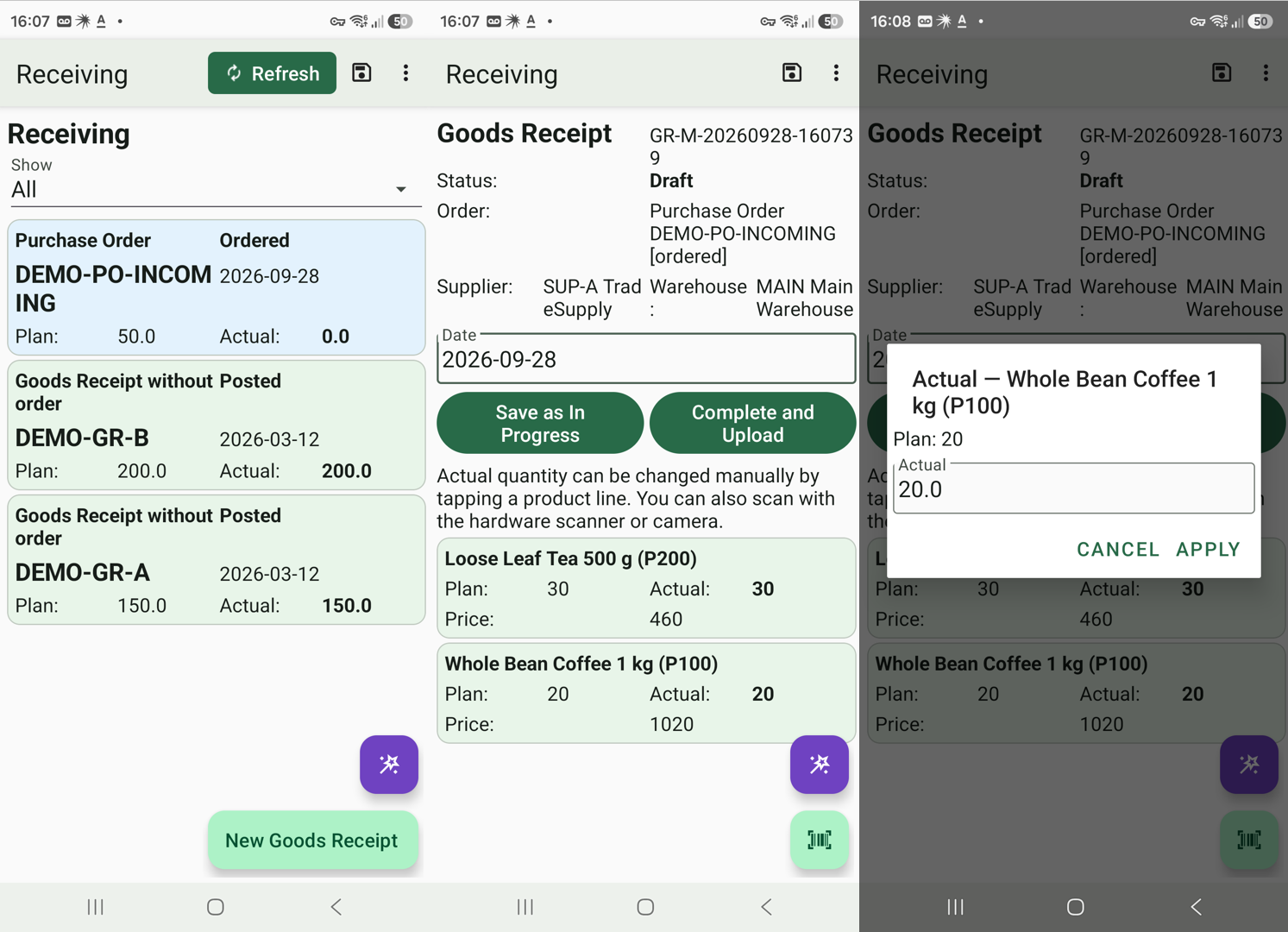
Planned versus actual receiving and shipping. Warehouse staff compare the expected and actual received or shipped quantity for each item.
Separate mobile receiving and shipping workspaces. Warehouse staff see the relevant tasks: orders still awaiting processing and working documents already created.
Operations with or without an order. A receipt or shipment can be created from an order with its items filled in automatically, or entered as a standalone operation.
Barcode scanning during warehouse operations. Both a hardware scanner and the camera are supported. The scanned item is matched to a document line, and the operator enters its actual quantity.
Handling unplanned goods. If a scanned item is missing from the original plan, it can be added to the actual document during receiving or shipping.
Warehouse work with an unreliable connection. Receiving and shipping can run autonomously on a mobile device. Completed documents are sent to the server when the operation is finished.
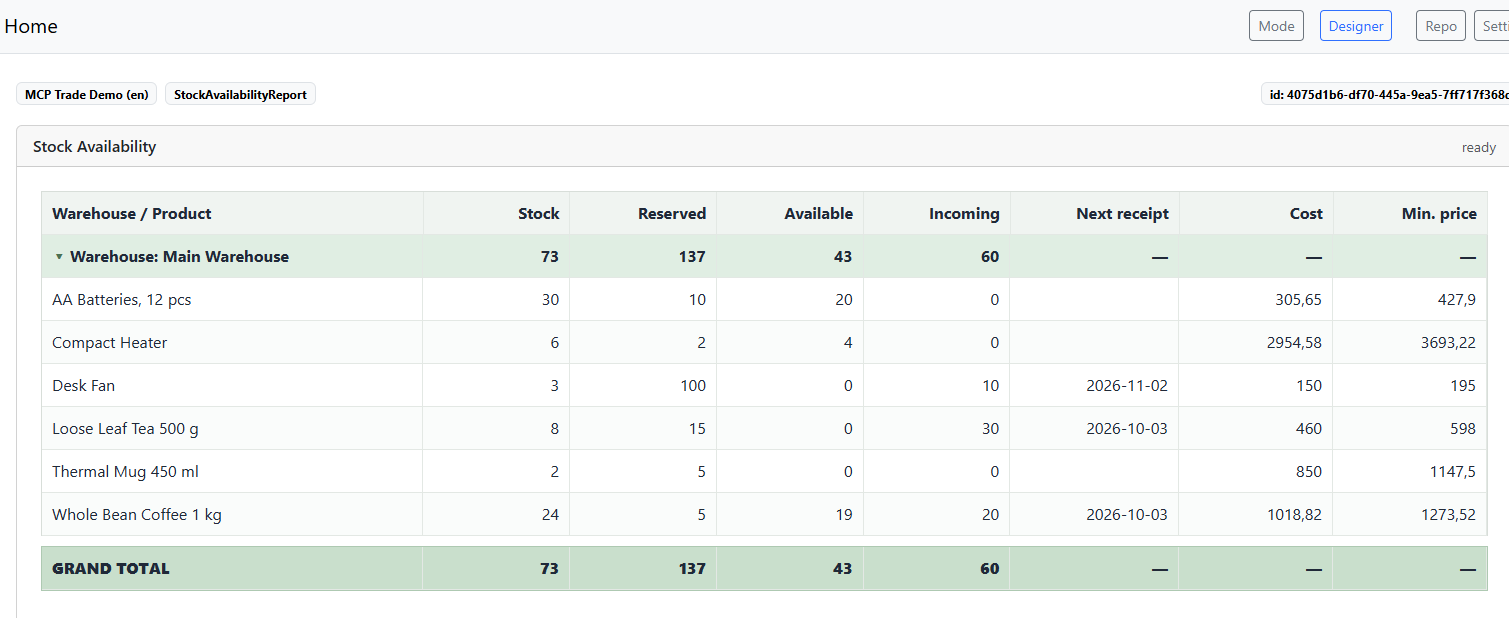
Item availability analysis. Users can see physical stock as well as the quantity available after accounting for reservations and expected deliveries.
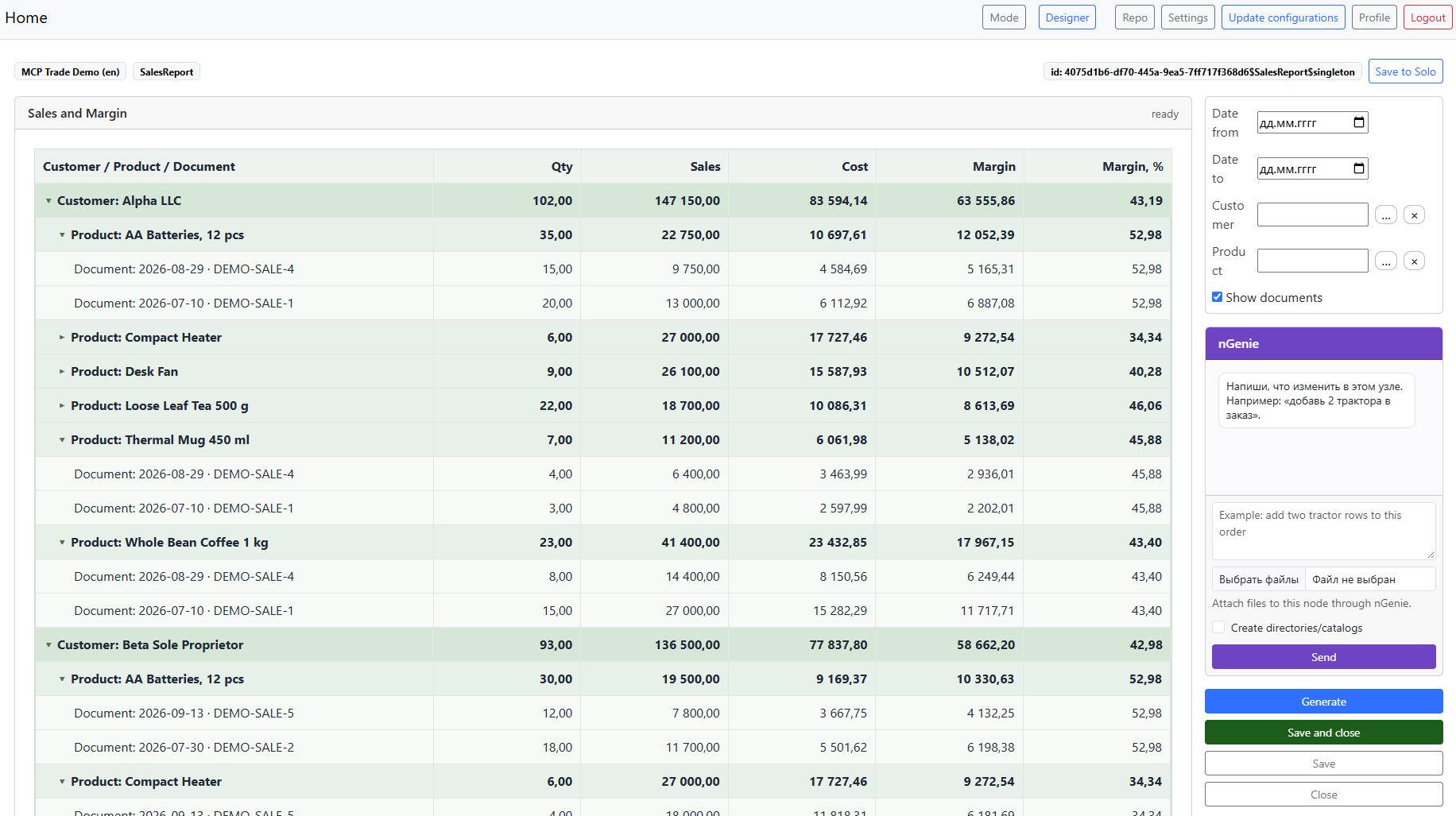
Sales and margin analysis. Sales can be analyzed by customer, item and document, with revenue, actual cost and margin calculated at each level.
Principles
These are the main building blocks. Some readers may find them insufficient or different from the needs of their own business. I have a deliberate position on this.
You could say that N-Reactor “takes a slice” of a wide range of capabilities and functional options to match a specific technical specification, while preserving the product’s features and characteristics. Naturally, this is a coherent, connected architecture rather than a set of blocks — it is grown out of the product’s DNA, so to speak. As if a boxed product had been built and, quite by chance, matched your needs 100%.
This configuration can be modified and extended to suit your needs. You can arm a regular AI chat with this configuration, a link to the documentation, and ask it to finish whatever you need. In other words, this is a foundation. Yes, it is not N-Reactor, but this particular configuration has no specialized methodology. While N-Reactor can already build WMS solutions, I plan to move through individual functional blocks one by one — CRM, MRP II, HR, MES, logistics, and so on. The “trading part” will eventually be included there as well, and they will come together into a single ERP. Naturally, following the “generated product” principles rather than shipping a box with millions of lines of code.
Implementation details
Like my other products, this configuration came from the N-Reactor AI solution pipeline, which you can also use to create a configuration for your own needs. It was built to specific requirements and follows NodaLogic standards for accounting and operational solutions. It is an example of how to make server and mobile solutions fast, simple, reliable and readable. It uses mechanisms such as QuantLedger, contracts and asynchronous procedures. NodaLogic offers several alternative mechanisms; the choices here reflect this particular task rather than a claim that these mechanisms are always better.
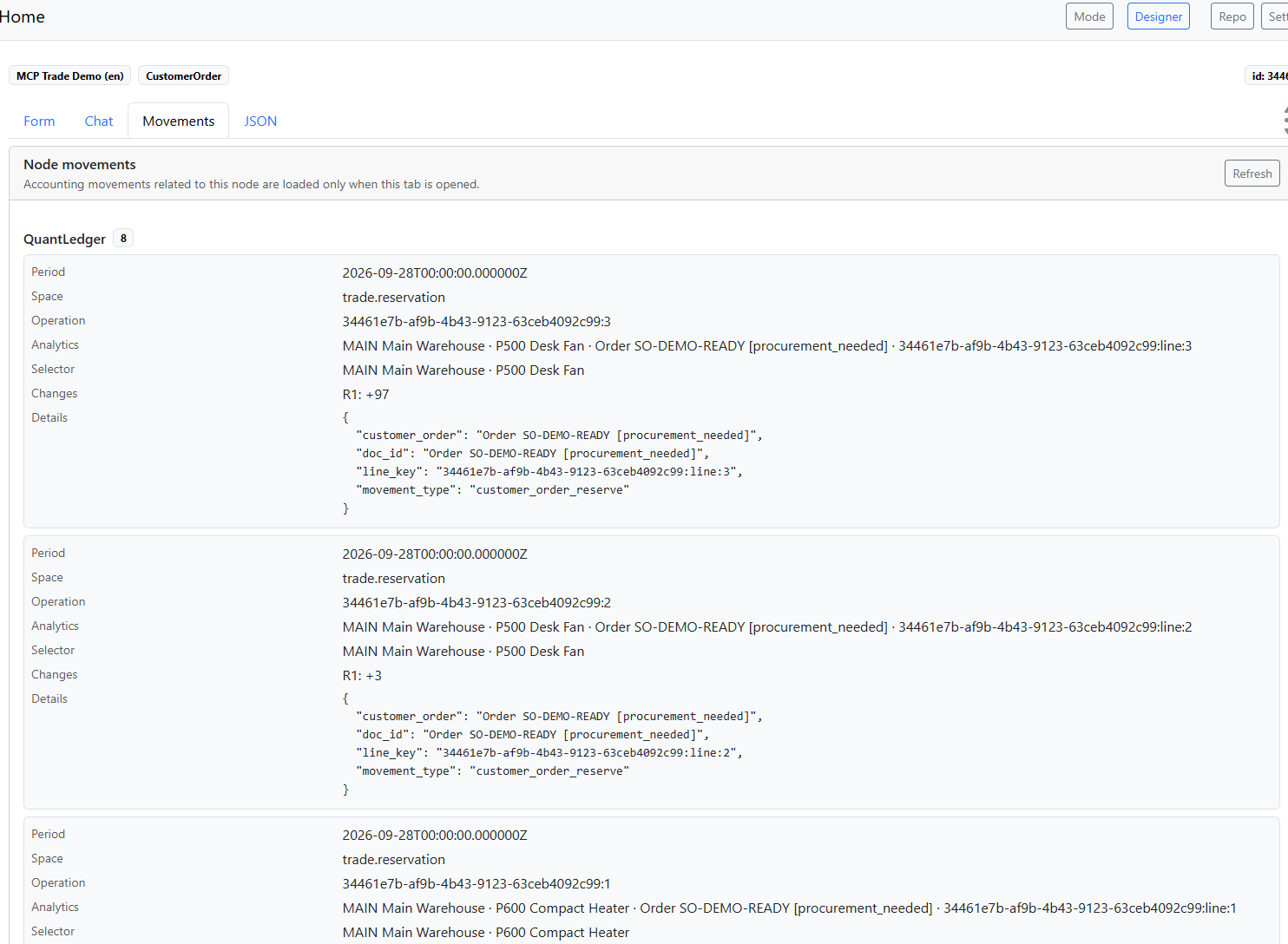
Server documents are created in Draft status and do not affect accounting records. In Posted status, they create entries across the relevant accounting dimensions. These entries can be inspected on the Movements tab.
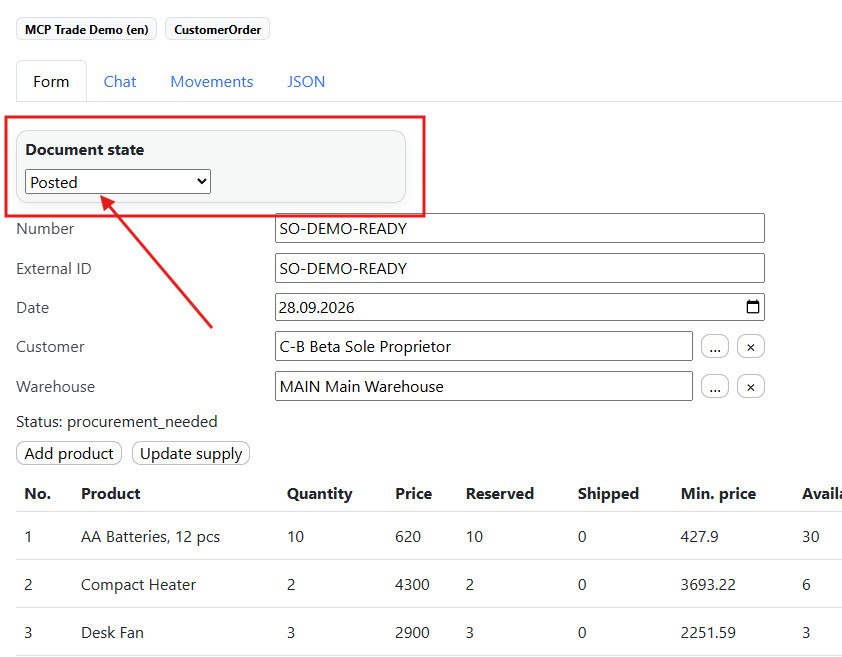
Posting and its reverse actions — returning to Draft or Cancelled — are governed by business rules. For example, a receipt cannot be cancelled if goods from it have already been issued or expenses have been allocated to it.
The warehouse is deliberately simple and does not track individual storage bins. A separate WMS demo covers bin-based warehouse management. N-Maker can build larger WMS solutions with strategies, optimizations, waves and other mechanisms, as discussed in the generated-products article above. Here, the workflow is straightforward: scan an item and enter its actual quantity.
Warehouse work is driven by status: an order does not reach shipping until it is ready, with goods available. The mobile workspace is fully offline-first: it works with nodes locally and sends data as needed.
Installation
Open Demo products and install the configuration and its database instance under your account. You can browse the catalog without signing in; installation requires sign-in or registration. The “Source code available” label means that the configuration appears in your Designer and you can inspect it, edit it and save it locally. This is exactly what the demo was created for.
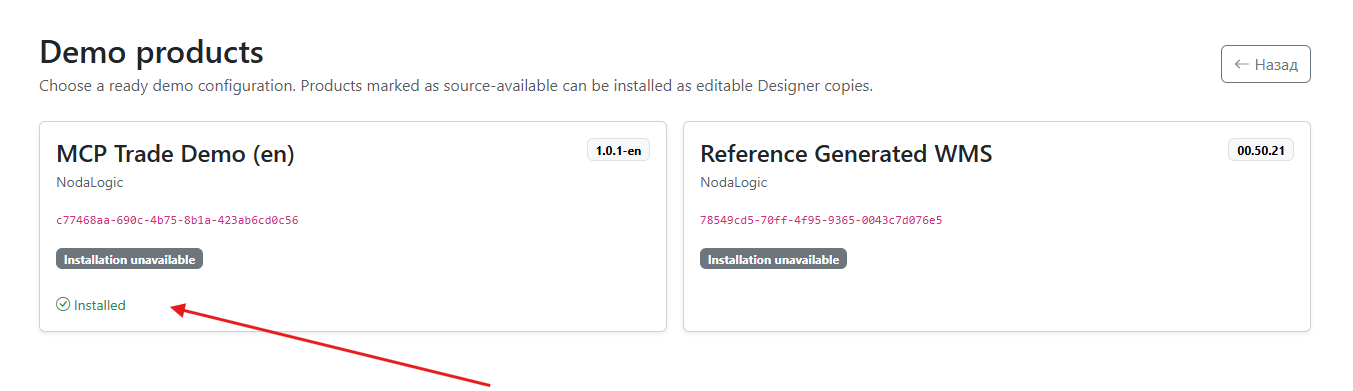
Next, open the client. If the configuration is not connected, open the configuration repository and add it. A client can have several configurations connected, and you choose which one to use. The server database belongs to your configuration instance: creating a configuration creates a solution instance. Installation from Demo products performs that step for you.
I recommend starting with Service → Initial Data Setup and choosing Create / restore demo data. This saves time.
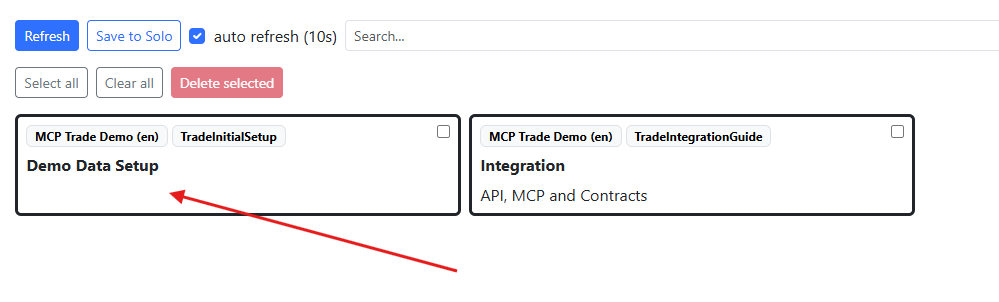
You can then explore the reports and try mechanisms such as Procurement Planning.
Mobile workspace
To enable the mobile warehouse workspace, complete these steps:
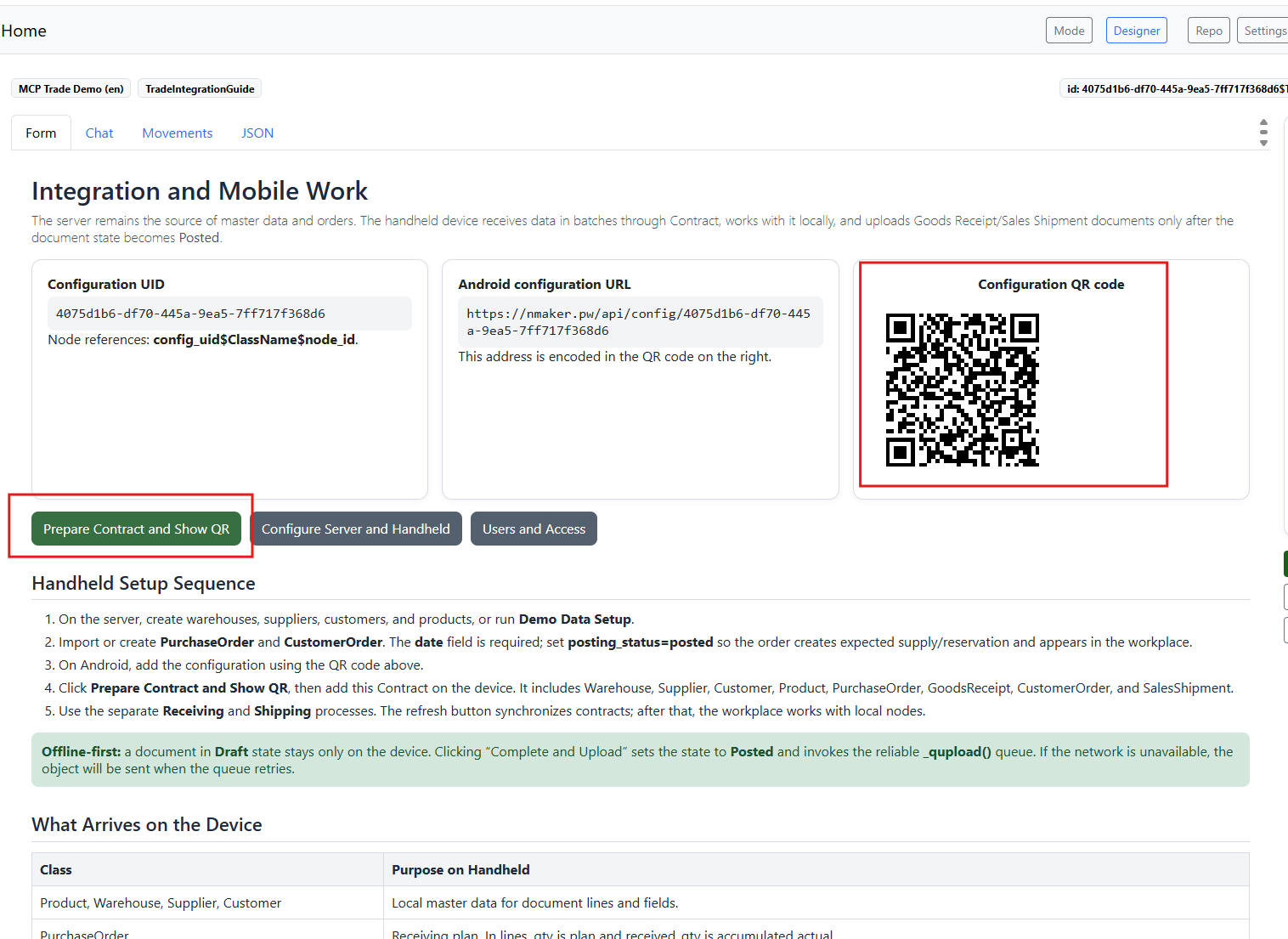
- In the NodaLogic mobile app, open Settings and enter your API username and API password. Use the same credentials as for nmaker.pw.
- Open Service → Integration. On the mobile device, go to NodaLogic → Configuration repository → Add via QR and scan the configuration QR code.
- The app restarts and the configuration becomes available. A Warehouse: Mobile Work section should appear.
- In Integration, choose Prepare contract and show QR. In the app, go to Settings → Contracts → Add and scan the contract QR code. You can then choose Download in the menu and optionally set an interval for periodic downloads in Settings.
If you use a hardware barcode scanner on a mobile data terminal instead of the camera, configure the scanner subscription in Settings. At a minimum, enter the subscription message and subscription variable. Their values depend on the equipment manufacturer. Usually, the device has a Scanner settings app where output can be set to Intent. It will either show the Action and Extras values or let you set them yourself. Some devices send the barcode as a byte array; in that case, also configure its length using the corresponding setting.
and ask development questions on the developer forum https://t.me/nodalogic_dev
Comments
Comments are public; posting is available to registered NodaLogic users.